RV Parks & Campgrounds
ParkAdvisorTravel & Local
4.43.65K Reviews
- Version
- 4.4.9
- Installs
- 500.00K
- Age Rating
- Everyone
Screenshots
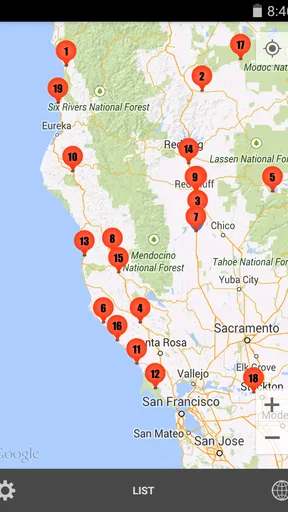
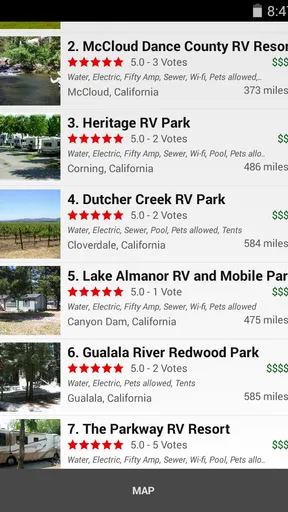
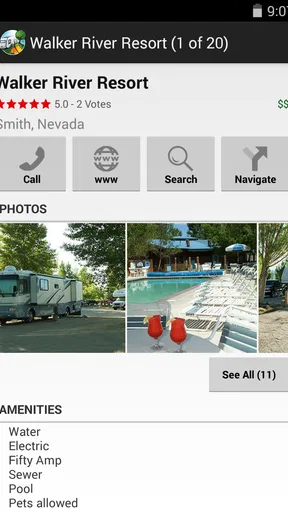
Our Review of RV Parks & Campgrounds
 Analysis by Appyee
Planning an RV trip can become surprisingly complicated once you leave the main roads. A campsite may look close on the map but lack the services you need, while a rest area may be useful for a break but unsuitable for an overnight stay. I found RV Parks & Campgrounds, developed by ParkAdvisor, most useful as a practical discovery tool for making those decisions before the fuel gauge becomes a problem.
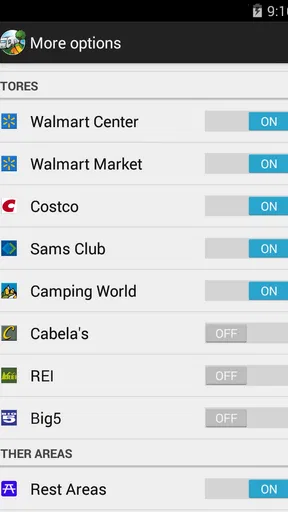
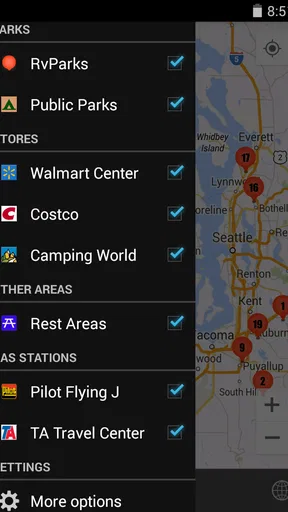
This is a free Travel & Local app for Android, aimed at Everyone, with a simple purpose: help you search through a very large collection of places connected with RV travel. Its catalog covers RV parks, campgrounds, rest areas, gas stations, and stores. That combination matters because a good travel plan is rarely just about finding a campsite. It is also about knowing where to refuel, rest, shop, or adjust your route when the original plan no longer works.
I would not treat it as a complete replacement for a dedicated navigation app or an official campground reservation service. Instead, I see it as a travel companion for answering a more immediate question: what useful place is available near my route or destination? That distinction makes the app easier to understand and helps set realistic expectations from the first launch.
What to expect when you open the app
The first impression is functional rather than decorative. RV Parks & Campgrounds is built around finding relevant locations, so the experience makes the most sense when you already have a destination, a road, or a travel problem in mind. If you are sitting at home casually browsing for inspiration, it may feel more practical than exciting. On the road, however, that directness becomes an advantage.
The large range of place types is the app’s strongest idea. A campground search can help with the night’s stop, while a nearby gas station or store can solve a separate problem without forcing you to switch between several unrelated tools. Rest areas are especially useful when you need a short break and do not want to commit to a full campground search.
That breadth also creates the first important trade-off. A broad directory can show many possibilities, but it cannot make every location equally suitable for every RV, route, or travel style. I recommend using the results as a shortlist rather than an automatic decision. Before changing course, I would check the place information carefully and consider whether its access, services, and operating situation match my vehicle and plans.
The app has earned a 4.4 average from around 9.3 thousand ratings, and it has passed half a million installs. Those figures suggest that it has found a real audience among travelers, but they should not be read as a guarantee that every listing will fit your situation. A directory is only as helpful as the details you verify before arrival.
Who gets the most value from it
I think the app is particularly helpful for RV owners who prefer flexible travel instead of planning every stop weeks in advance. It also suits people crossing unfamiliar areas, families who need regular breaks, and travelers who want several backup options when a campground is full. Someone who regularly drives long distances can use it to think in stages: fuel first, rest second, overnight stop later.
It is less convincing for a traveler who wants a polished booking journey, guaranteed availability, or a highly specialized campsite-planning system. If your priority is reserving a particular site with certainty, you may still need a campground’s own channel or a reservation-focused service. RV Parks & Campgrounds is better at discovery and route-side decision-making than at replacing every part of the trip.
Starting without making the setup harder than it needs to be
My advice for a first launch is to begin with one realistic destination rather than exploring every category at once. Think of the next trip you actually expect to take. Search for the town, road, or general area, then inspect the nearby results. This gives the app a clear job and makes it easier to judge whether the information is useful to you.
Before relying on a result, decide what you are trying to solve. Are you looking for a place to sleep, a quick rest, fuel, or supplies? The same map area can contain several types of locations, but they are not interchangeable. Separating that need at the beginning prevents a common mistake: choosing a convenient-looking pin that does not serve the purpose you had in mind.
I also recommend preparing a short backup list rather than saving only one favorite-looking option. Road conditions, opening situations, vehicle size, and personal preferences can all change the decision. Having a second and third possibility nearby turns the app from a simple search tool into a small contingency plan.
The current release is version 4.4.9, and the app supports Android starting with version 4.1. That broad compatibility is useful if you keep an older phone in the vehicle as a backup. At the same time, travelers should remember that an older device may make map browsing or switching between screens feel less comfortable than it would on newer hardware.
Your first meaningful success
A good first test is not merely opening a listing. It is using the app to make one concrete travel decision. For example, imagine leaving a campground in the morning with a long drive ahead. I would search along the route for a fuel stop, then look farther ahead for a rest area or another practical pause. If the day changes, I would search the destination area for an overnight alternative rather than waiting until arrival.
This workflow shows why the different categories belong together. The app can support a sequence instead of a single search: identify where you may need fuel, find a place to take a break, and then compare overnight possibilities. I find that more useful than searching only for campgrounds because it reflects how RV trips actually unfold.
Another effective test is to use it before leaving home while you still have time to compare options. Look at the area around your intended stop and note whether there are alternatives nearby. If the primary campground does not suit your needs, you already know where to look next. That small preparation step reduces the pressure of making a decision after a tiring day on the road.
For a first-time user, success should mean reaching a sensible shortlist, not blindly following the first result. I would write down the name of the preferred stop, one backup, and a nearby service location that could help if plans change. The app is most valuable when it improves your choices, not when it encourages you to stop checking the details.
Details that deserve a second look
The biggest source of confusion is assuming that every place shown has the same role. An RV park, a campground, a rest area, a gas station, and a store may all appear in a related search experience, but they answer very different needs. I would always identify the place type before treating a result as a possible overnight destination.
A second point is the difference between finding a location and confirming that it works for your particular vehicle. A pin may be close to your route, yet the approach could still be inconvenient for a large rig. The app can help you discover candidates, but I would use additional map context and, when necessary, direct confirmation before making a major detour.
Reviews can be helpful for spotting practical patterns that a name or map position cannot show. I look for repeated comments about access, cleanliness, noise, or suitability rather than letting one enthusiastic or negative remark decide everything. With around 3.6 thousand written reviews, there is a useful body of user feedback to examine, but the value comes from reading it selectively and considering how recent or relevant each observation is to my own trip.
Another subtle issue is timing. A place that worked for another traveler may not match your needs at a different hour or season. I would not assume that a listing automatically means immediate availability, guaranteed services, or a perfect overnight arrangement. The safest workflow is to use the app to narrow the search, then verify the important practical point before driving a long distance.
Using it beside ordinary navigation apps
Compared with a general maps app, RV Parks & Campgrounds feels more focused on the decisions RV travelers repeatedly make. A standard map is excellent for turn-by-turn directions and broad business discovery, but it may require more searching to assemble a useful set of RV-oriented stops. This app puts the relevant categories closer together, which can save time when the question is specifically about camping, resting, fueling, or resupplying.
Compared with a reservation service, the emphasis is different. A booking platform is usually the better choice when you already know the exact campground and want to secure a particular stay. Here, I prefer the wider search perspective: it helps me discover alternatives and think about the route as a chain of practical stops. Neither approach replaces the other.
There is also a trade-off compared with official park or campground sources. Official information may be the final authority for rules, availability, fees, and restrictions. The app is more convenient for discovering possibilities across an area, while direct sources remain important for confirming the details that could affect the whole trip.
Three habits that make the app more useful
First, search in layers instead of typing one broad request and accepting the first result. Start with the overnight need, then separately inspect fuel, rest, and shopping options around the route. This creates a realistic travel chain and makes it easier to see where a day could become uncomfortable.
Second, build a backup before you need one. I would choose an alternative in a different part of the destination area, not merely another pin beside the first. That gives you more flexibility if access, crowding, or personal preference rules out the original choice.
Third, read reviews for operational clues rather than general praise. A comment that mentions approach difficulty or the practical experience of stopping there may be more valuable than a vague statement that a place was pleasant. This is one of the ways to turn the app’s community information into a decision tool instead of background reading.
A fourth habit is to use the app while you still have a reliable connection and enough energy to compare choices. Searching under pressure can lead to rushed decisions. I prefer to inspect the next area during a planned break, then keep the selected options ready for the rest of the drive.
Costs, platform fit, and everyday practicality
The app is free to install, which makes it easy to test on a trip without committing money first. It includes in-app purchases priced at $7.99 per item, so I would review any purchase screen carefully and decide whether an optional upgrade genuinely improves my own workflow. For occasional travelers, the free starting point may be enough to judge its usefulness before spending anything.
The Everyone age rating also makes it suitable for a shared family travel phone, although the person making the final stop decision should still check the practical details. I would not hand responsibility for route changes entirely to the app, especially when driving a large vehicle or traveling with a strict arrival schedule.
ParkAdvisor has kept the product centered on a clear travel problem rather than turning it into a general-purpose social network. That focus is welcome, but it means the experience may feel limited to users who expect extensive trip journaling, full itinerary management, or guaranteed reservations. I see it as one tool in a travel setup, not the entire setup.
When I would skip it
I would skip RV Parks & Campgrounds if I were taking a short city trip with no RV-related needs. Its value comes from the relationship between campgrounds, rest areas, fuel, and stores, so a normal hotel-and-restaurant journey would not make much use of that focus.
I would also look elsewhere if my trip depended on confirmed booking details, exact site dimensions, or official restrictions that could change the decision. In that situation, I would use the app for discovery and then move to the relevant official source. That extra step is not a flaw so much as a sensible boundary for a directory-style travel companion.
Finally, travelers who dislike comparing several options may find the broad catalog more work than help. The app can present possibilities, but it still expects me to judge them. If I want one guaranteed answer with minimal research, a direct booking route may be more comfortable.
My recommendation for a first trip
For a first meaningful use, I would install it before departure, search the destination area, and identify one preferred overnight option plus one backup. Then I would look along the route for a fuel stop and a rest area, read the most relevant user comments, and verify the final details before committing to a detour. That process is simple enough for a beginner but reveals the app’s real strength.
After using it this way, I see RV Parks & Campgrounds as a practical planning aid rather than a magic answer engine. Its wide range of RV-related locations can reduce the time spent switching between different searches, and its usefulness grows when plans are flexible or uncertain. The main responsibility remains with the traveler: distinguish place types, compare alternatives, and confirm anything important.
My final recommendation is positive for RV owners, campers, and road trippers who want a broad starting point for finding stops and backup options. It is free to try, works with a wide range of Android devices, and gives first-time users a reassuring way to turn an unfamiliar route into manageable decisions. I would pair it with navigation and official campground information, but I would keep it installed for the moments when the original plan changes and I need a practical next step quickly.
Verdict
Strengths of RV Parks & Campgrounds
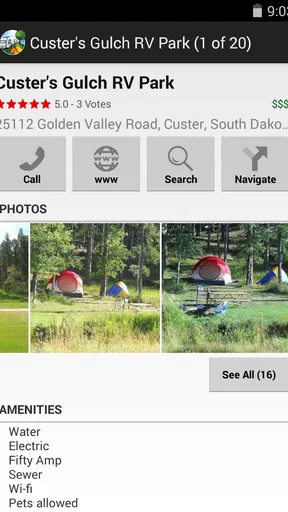
- Detailed listings help compare amenities, prices, and campground rules.
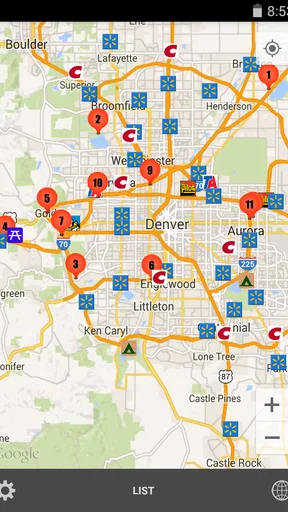
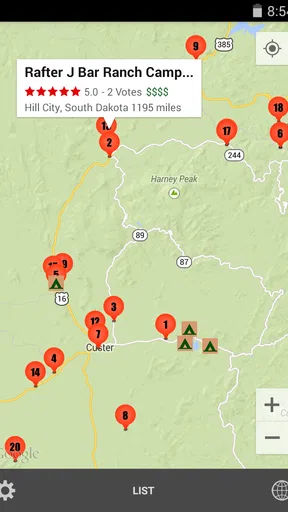
- Useful map view makes it easier to plan stops along an RV route.
- Reviews and photos provide helpful insight before booking a site.
- Filters can narrow results by hookups, pet policies, and available facilities.
- Trip planning is convenient for finding parks near destinations or highways.
Limitations of RV Parks & Campgrounds
- Some listings may contain outdated prices, photos, or availability details.
- Coverage and listing quality can vary significantly by location.
- Booking options are not available for every campground in the app.
- Search results may favor popular parks over smaller local campgrounds.
- Some features may require an account or redirect users to external websites.
Similar Picks in This Category
View All
Google Maps
Google LLC3.4

Google Maps Go
Google LLC4.1

Booking.com: Hotels & Travel
Booking.com Hotels & Vacation Rentals4.8

Google Earth
Google LLC3.8

Skyscanner Flights Hotels Cars
Skyscanner Ltd4.8

trivago: Compare hotel prices
trivago N.V.4.4
Frequently Asked Questions
What is RV Parks & Campgrounds, and what can I use it for?
RV Parks & Campgrounds is designed to help travelers discover places to stay while traveling by recreational vehicle, camper, or motorhome. You can use it to browse campgrounds, compare available information, check locations, and plan overnight stops. It is especially useful for road trips because it brings campground details into one convenient place instead of requiring users to search across multiple websites.
Does the app show important campground details before booking?
The app is intended to provide useful information for evaluating a campground before you arrive, such as its location, available amenities, and general accommodation details. However, the amount and accuracy of information may vary between listings. Before making a final decision, users should confirm current prices, opening dates, site availability, pet policies, utility hookups, and other specific rules directly with the campground.
Can I use RV Parks & Campgrounds to find locations near my current position?
Yes, location-based searching is one of the most practical features for RV travelers. Depending on your device settings and the app’s available tools, you can explore campgrounds around your current location or search along a planned route. You may need to allow location access for the best experience. Keep in mind that GPS accuracy and map data can vary, particularly in remote areas.
Is RV Parks & Campgrounds free to download and use?
The availability of free features, optional purchases, or subscription-based tools can depend on the platform and the current version of the app. Users should review the Google Play Store or Apple App Store listing before downloading to check pricing, in-app purchases, and any premium limitations. Even when basic browsing is free, some advanced features or detailed information may require payment.
Will RV Parks & Campgrounds work without an internet connection?
You should not assume that every feature will work offline. Searching for updated listings, viewing online maps, loading campground information, or checking availability may require a mobile or Wi-Fi connection. If you are traveling through areas with weak coverage, it is wise to review important campground details and save directions before leaving. Always keep a backup navigation option for remote routes.
